Geekbench 6.6.0 for MacOS
Geekbench 6.6.0 for MacOS Download 2026

Geekbench for Mac 6.6.0 has established itself as one of the most trusted and widely used benchmarking tools. Developed by Primate Labs, Geekbench is designed to evaluate CPU and graphics card performance across a broad range of Macs, from older Intel systems to the latest machines powered by Apple Silicon chips.
Whether you’re a casual user, content creator, developer, IT professional, or hardware enthusiast, Geekbench for Mac provides valuable insights into your system’s performance under various workloads. Furthermore, its cross-platform compatibility allows you to compare your Mac’s performance with Windows, Linux, iOS, and Android devices, making it a versatile benchmarking solution.
Key Features of Geekbench for Mac 6.6.0:
Geekbench 6.6.0 offers a comprehensive suite of performance benchmarking tools designed to simulate real-world tasks. Instead of relying solely on synthetic values, it uses practical workloads to measure actual performance.
Advanced CPU Benchmarking:
Geekbench’s CPU benchmarking measures both:
- Single-core performance
- Multi-core performance
This is especially important for macOS users, as many applications rely heavily on the speed of a single core, while others, such as video editing or rendering software, benefit from multi-core performance.
Geekbench 6.6.0 tests tasks such as:
- File compression and decompression
- Image processing
- Code compilation
- Machine learning inference
- PDF rendering
Therefore, the benchmark scores reflect real-world performance rather than abstract calculations.
GPU Performance Assessment:
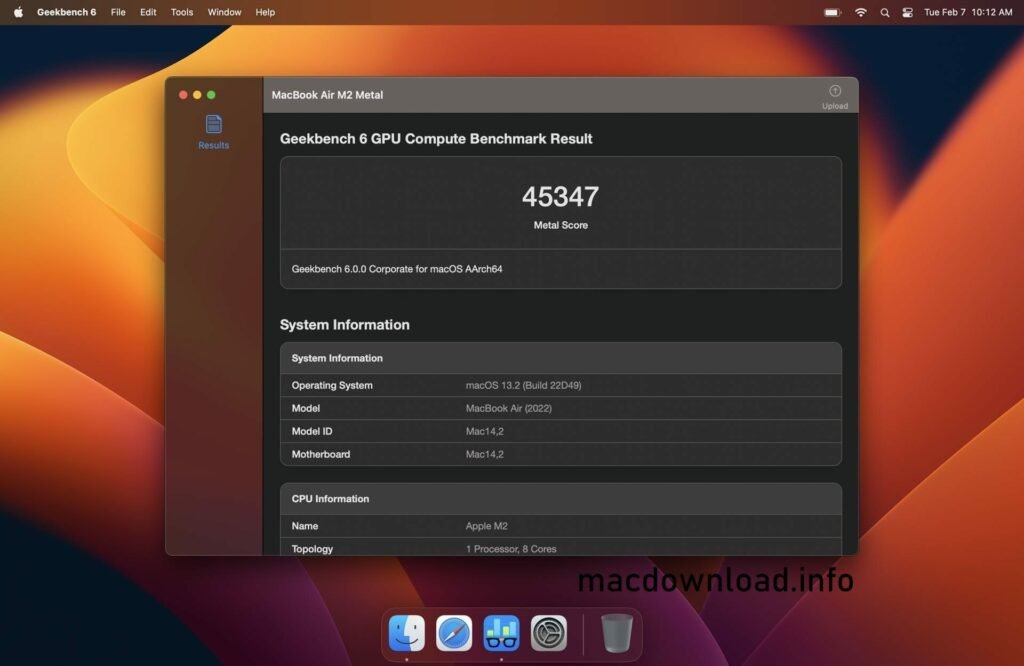
In addition to CPU tests, Geekbench for Mac includes a powerful GPU performance assessment. This feature evaluates graphics processing performance using APIs such as:
- Metal (native to macOS)
- OpenCL
Modern Macs rely heavily on GPU acceleration, especially Apple Silicon systems, so this performance test helps determine your Mac’s performance for:
- Photo and video editing
- 3D rendering
- Machine learning workloads
- Scientific computing
This allows users of graphics-intensive applications to accurately assess their system’s GPU capabilities.
Optimization for Apple Silicon:
Geekbench 6.6.0 is fully optimized for Apple Silicon chips, including:
- Apple M1
- Apple M2
- Apple M3
It accurately evaluates both performance cores and high-efficiency cores, ensuring that test results reflect how macOS distributes workloads across the architecture.
Therefore, users of MacBook Air, MacBook Pro, iMac, Mac Studio, and Mac mini can obtain accurate performance measurements tailored to their hardware.
Cross-Platform Comparison:
One of Geekbench’s key strengths is its cross-platform benchmarking system. You can compare your Mac’s performance with that of the following devices:
- Windows PCs
- Linux machines
- iPhones and iPads
- Android devices
Geekbench is therefore particularly useful for:
- IT departments
- Hardware testers
- Buyers comparing different devices
- Developers optimizing cross-platform applications
Online Results Browser
Geekbench automatically uploads test results to the Geekbench Browser, an online database that allows users to:
- Compare scores with similar systems
- Share results via a direct link
- Analyze workload details
This feature enhances transparency and facilitates informed hardware choices.
What’s New in Geekbench for Mac 6.6.0:
Geekbench 6.6.0 brings several improvements and optimizations for increased accuracy and stability.
Improved Apple Silicon Performance Detection:
- This new version improves workload scheduling detection on the latest Apple Silicon Macs. Scores are therefore more accurate for hybrid architectures.
Updated Machine Learning Tests:
- Machine learning workloads have been optimized to better simulate modern AI-based applications. Results are therefore more consistent with real-world use cases.
Improved GPU Benchmark Stability:
- Geekbench 6.6.0 improves compatibility with the latest macOS versions and the stability of Metal-based GPU compute tests.
Improved Cross-Platform Score Consistency:
- This update also refines score calibration across operating systems, ensuring fair and accurate comparisons between macOS and other platforms.
You Can Also Download:
System Requirements::
- macOS 12 Monterey, macOS 13 Ventura, or later
- 8 GB of RAM minimum
- Apple Silicon processor (M1, M2, M3) or recent Intel Core i5/i7/i9
- SSD storage for faster testing
Advantages and Disadvantages:
Like any software, Geekbench for Mac has its strengths and weaknesses.
Advantages:
- Accurate and realistic CPU and GPU performance measurements
- Fully optimized for Apple Silicon
- Cross-platform comparison capabilities
- Simple and intuitive interface
- Detailed workload analysis
- Online sharing of results
- Regular updates
Disadvantages:
- The free version offers limited features
- Scores may vary slightly depending on background processes
- This tool is not designed for load testing (focused solely on performance evaluation)
- Advanced features require a paid license
Conclusion:
Geekbench for Mac 6.6.0 remains one of the most powerful, reliable, and user-friendly benchmarking tools available for macOS. With its realistic workload tests, optimization for Apple Silicon processors, cross-platform comparison capabilities, and detailed performance analysis, it is suitable for both casual and professional users.
Homepage:https://www.geekbench.com/



1 Response
[…] You Can Also Download: Geekbench 6.6.0 for MacOS […]