Nova 13.4 for MacOS Download
Nova 13.4 for MacOS Download 2026
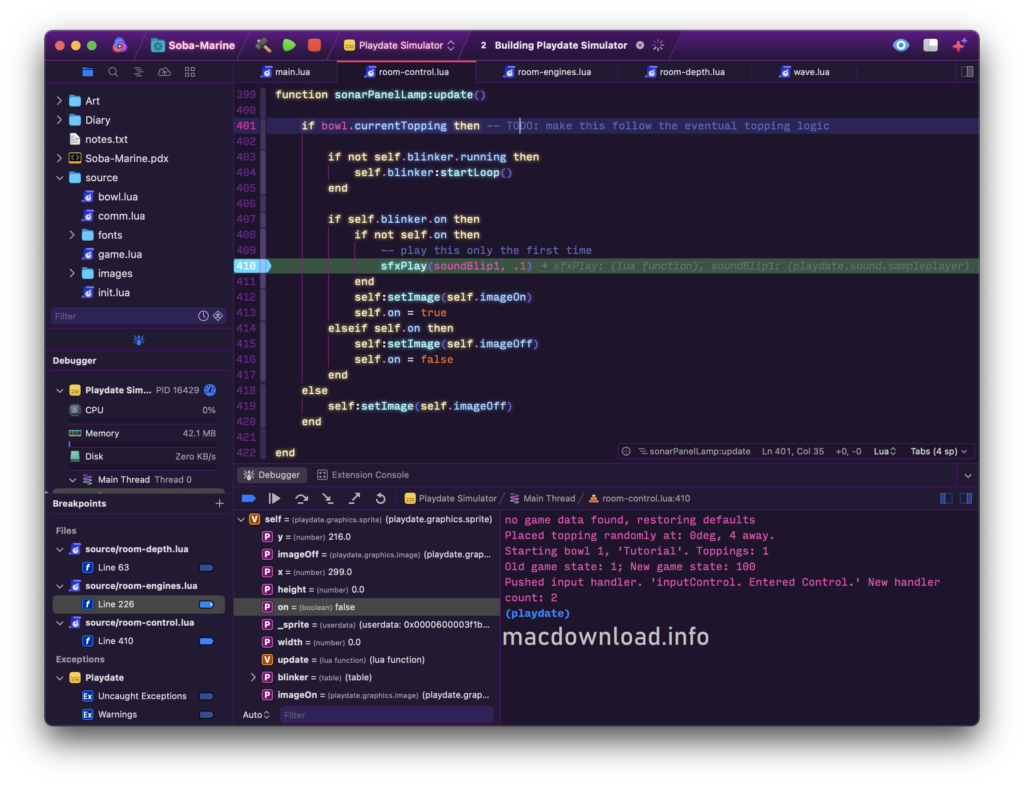
Nova for Mac 13.4 is a powerful and modern code editor designed specifically for macOS users who demand performance, flexibility, and precision. Developed by Panic Inc., Nova has quickly established itself as a preferred alternative to other development environments. Whether you’re building websites, developing applications, or managing server-side code, Nova offers an optimized and efficient workflow perfectly suited to macOS.
Nova for Mac stands out by combining the native performance of macOS with advanced development tools. Unlike many cross-platform editors, Nova is designed exclusively for macOS, allowing it to fully leverage Apple’s system architecture. This results in smoother performance, better integration, and increased stability for developers.
Furthermore, Nova 13.4 continues to improve the editor with performance gains, enhanced features, and workflow optimizations. From intelligent autocomplete to integrated Git tools, Nova is designed for both beginners and professionals. This comprehensive guide will allow you to explore its main features, latest updates, system requirements, advantages, and potential limitations.
Key Features of Nova for Mac 13.4:
Nova for Mac is packed with features designed for developers that improve productivity and efficiency. Here are the highlights:
1. Native macOS Performance:
One of Nova’s main advantages is its native integration with macOS. This results in:
- Faster startup
- Reduced memory usage
- Smooth scrolling and editing
- Optimized CPU performance
By not relying on web technologies, Nova avoids the high resource consumption often seen in other editors.
2. Smart Code Editor:
- HTML
- CSS
- JavaScript
- PHP
- Python
- Ruby
It also offers:
- Syntax highlighting
- Smart autocomplete
- Multiple cursors
- Code folding
- Line-by-line diff comparison
3. Built-in Git Integration:
Version 13.4 includes an enhanced Git interface that allows developers to:
- Add and remove files from the index
- View differences
- Manage branches
- Commit changes directly
- Resolve merge conflicts
4. Remote Access to Files and Deployment Tools:
Nova supports remote development via:
- SFTP
- FTP
- SSH
This feature is especially useful for web developers managing production servers. It allows them to edit files remotely, upload changes instantly, and monitor deployment processes in real time.
5. Extensions Library:
Developers can install and create extensions to:
- Add language support
- Enhance themes
- Integrate external tools
- Customize workflows
6. Customizable Interface:
Nova offers complete customization, including:
- Themes (light and dark modes)
- Keyboard shortcuts
- Layout settings
- Sidebar configuration
This allows developers to create a workspace tailored to their productivity style.
7. Advanced Search and Replace:
The powerful search system supports:
- Regular expression searches
- Multi-file searches
- Project-wide replacement
- Filtered results
As a result, developers can quickly locate and modify code in large projects.
What’s new in Nova for Mac 13.4?
The 13.4 update introduces performance and usability improvements designed to optimize the overall experience.
1. Improved Stability:
- Nova 13.4 improves stability when handling large files and complex projects. Developers working with heavy JavaScript frameworks or extensive PHP applications will notice smoother performance.
2. Improved Git Workflow:
- Git tools have been optimized to reduce delays during repository scanning. Additionally, branch switching and commit processing are faster than in previous versions.
3. Performance Improvements:
Memory usage has been further reduced in version 13.4. This means:
- Faster file indexing
- Reduced delay during extensive searches
- Improved multi-tab response
4. Better Extension Support:
- Nova 13.4 improves support for third-party extensions. Therefore, developers using custom plugins experience fewer conflicts and better integration.
5. User Interface and Minor Bug Fixes:
- Small improvements to the user interface and bug fixes ensure a smoother and more refined editing environment.
You Can Also Download: Parallels Desktop 26.2.2-57373 for Mac
System Requirements:
Before installing Nova for Mac 13.4, make sure your system meets the following requirements:
- Operating System: macOS 11 Big Sur or later
- Processor: Intel or Apple Silicon (compatible with M1, M2, and M3)
- RAM: 4 GB minimum (8 GB recommended)
- Storage: At least 200 MB of available disk space
Advantages and Disadvantages:
Every software tool has its advantages and disadvantages. Below is a general overview.
Advantages:
- Native performance on macOS
- Lightweight and fast
- Excellent Git integration
- Robust remote file support
- Highly customizable
- Modern and clean interface
- Active development and updates
Disadvantages:
- macOS only (not cross-platform)
- Smaller extension ecosystem compared to competitors
- Paid software (no free full version)
- May require configuration for advanced workflows
Conclusion:
Nova for Mac 13.4 is a refined, powerful, and high-performance code editor designed specifically for macOS users. Thanks to its native architecture, it offers superior speed, reliability, and system integration compared to many alternatives. From intelligent code completion and Git integration to remote file management and extension support, Nova provides everything modern developers need.
Homepage:https://nova.app/releases/