Iconize 1.6.3 for MacOS
Iconize 1.6.3 for MacOS Download Latest 2026

Iconize 1.6.3 for Mac is a lightweight yet powerful tool for creating and managing icons, designed to simplify the generation of high-quality icons for macOS applications, folders, and projects.
With its intuitive interface, fast rendering engine, and support for multiple export formats, Iconize has become the go-to solution for those who need professional icons without complex workflows. Version 1.6.3 includes performance and stability improvements, and enhancements that make icon creation faster and more reliable than ever.
Key Features of Iconize 1.6.3 for Mac
Iconize offers a wide range of tools that simplify icon creation and editing. Below are the most important features that make this version highly effective.
Intuitive Drag-and-Drop Interface
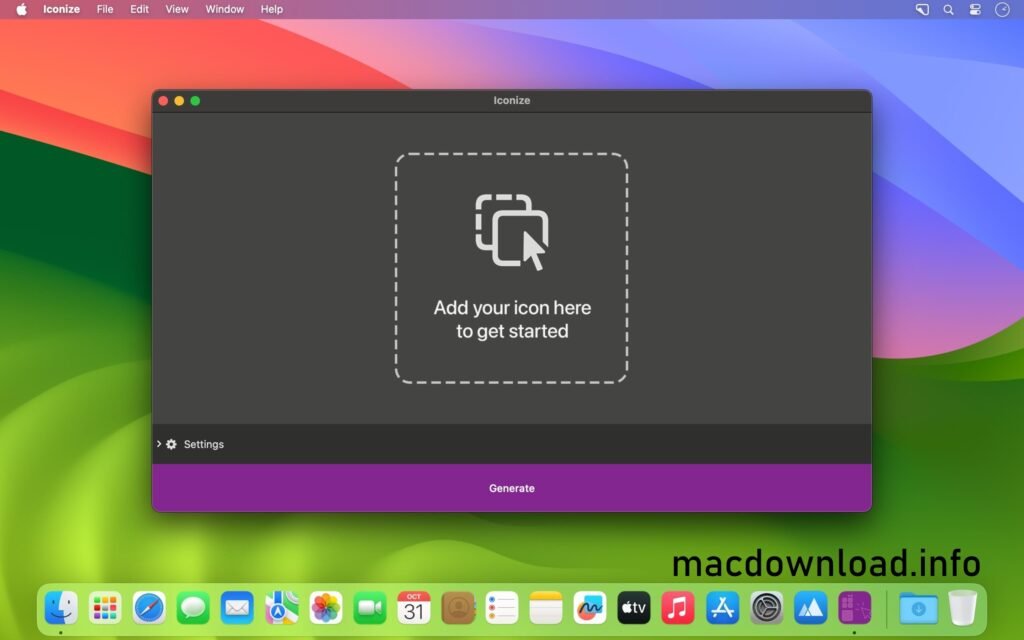
- One of Iconize’s standout features is its simple drag-and-drop workflow. Users can quickly import images, logos, or vector graphics and turn them into icons in seconds. This design reduces setup time and allows for faster project completion.
Multi-Size Icon Generation
- Iconize automatically generates icons in multiple sizes, as required by macOS and other platforms. Instead of manually resizing images, the software exports all necessary resolutions, ensuring compatibility across applications and devices.
High-Quality Image Scaling
- The application uses advanced scaling algorithms to preserve image sharpness when resizing. This ensures that icons remain crisp and clear, even at lower resolutions, which is essential for dock icons and system folders.
Custom Background and Shape Options
- Users can apply different background colors, gradients, and shapes to icons. This feature is useful for maintaining a consistent brand image or customizing the appearance of folders and applications.
Folder Icon Customization
- In addition to application icons, Iconize allows you to replace default folder icons. This is useful for visually organizing projects and improving workflow efficiency with color-coded folders.
Multiple Format Support
- Iconize supports popular image formats such as PNG, JPEG, TIFF, and ICNS. Export options also include scalable icon formats, suitable for macOS development environments.
Batch Processing Capability
- For users working with multiple files, Iconize offers batch icon conversion. This saves time by processing multiple images at once and automatically exporting them in the required sizes.
Lightweight and high-performing
- Despite its powerful features, Iconize remains lightweight and doesn’t consume excessive system resources. This makes it ideal for both older and newer Mac systems.
What’s New in Iconize 1.6.3?
Version 1.6.3 focuses on improving stability, compatibility, and performance, ensuring smoother operation on modern macOS versions.
Improved macOS Compatibility
- This version improves compatibility with recent macOS updates, ensuring that icon previews, drag-and-drop functionality, and file export work correctly on all versions of the system.
Faster Rendering Engine
- Icon rendering and export processes are now faster, especially when handling large images or processing multiple files in batches. This improvement significantly reduces wait times for users working on large projects.
Bug Fixes and Stability Improvements
- Several known bugs from previous versions have been fixed. These fixes reduce application crashes and improve overall reliability during extended use sessions.
Optimized Memory Usage
- Iconize 1.6.3 for Mac uses memory more efficiently, helping to prevent slowdowns when working with high-resolution images or large batches of icons.
Improved UI Responsiveness
- The responsiveness of the user interface has been refined, resulting in smoother interactions when navigating menus, previewing icons, or switching between settings.
You Can Also Download: Tidier for Mac
System Requirements:
- Operating System: Latest version of macOS
- Processor: Apple Silicon or modern Intel processor
- RAM: 8 GB or more
- Storage: 200 MB of free disk space
- Display: Retina display for accurate icon previews
Advantages and Disadvantages of Iconize 1.6.3 for Mac
Understanding the advantages and limitations helps users decide if this software suits their needs.
Advantages
- Simple and easy-to-use interface
- Automatic generation of icons in various sizes
- High-quality image scaling for professional results
- Batch processing saves time on large projects
- Lightweight and fast performance
- Useful for both developers and casual users
- Customizable folder and application icons
Disadvantages
- Limited advanced vector editing tools
- Fewer design templates compared to full-fledged graphic design suites
- No cloud storage or built-in collaboration features
- May not replace professional design software for complex projects
Conclusion
Iconize 1.6.3 for Mac is a practical and efficient solution for those who need to quickly create high-quality icons without complex design tools. Thanks to its simple drag-and-drop functionality, export options in various sizes, batch processing, and improved performance, this version offers a reliable workflow for developers, designers, and general users.
Homepage:https://ensili.co/



1 Response
[…] You Can Also Download: Iconize 1.6.3 for Mac […]